 WebGL Ripper
Extract 3D models from any website
WebGL Ripper is a free browser extension that captures the 3D models and textures a WebGL page draws and saves them as GLB (glTF 2.0), OBJ, STL or USDZ — ready for Blender, Unity, Unreal, Godot, a 3D printer or AR on an iPhone.
Version 1.3.1 · MIT license · Chrome, Edge, Brave, Opera 121+ · Firefox 128+
What it does
GLB, OBJ, STL, USDZ
A .glb with textures and PBR materials, OBJ + MTL + PNG, STL for 3D printing, USDZ for AR on iPhone. Smaller GLB on request.
Straight into Blender
The free add-on imports every new rip as soon as it is downloaded, framed, with the page's camera.
Characters in their pose
Animated characters are saved the way they are on screen, not in the T-pose (WebGL 2).
Preview and video
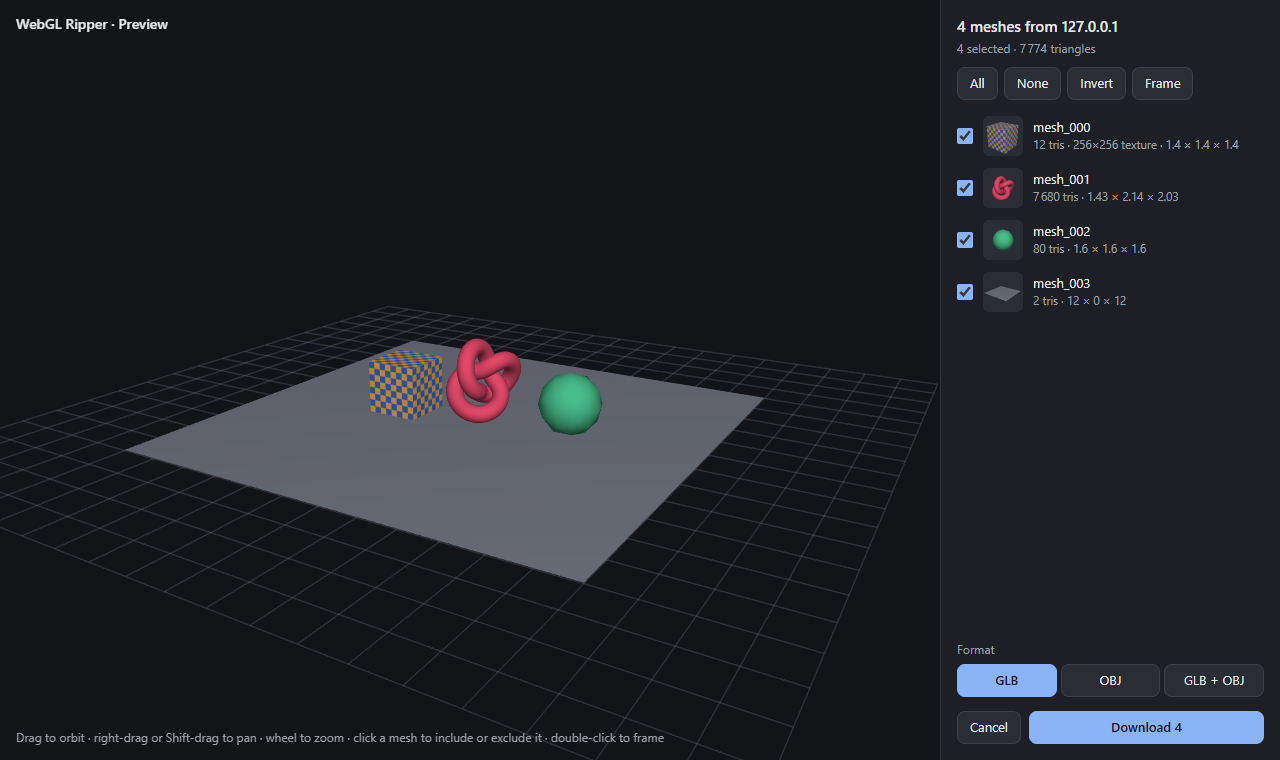
Turn the scene around in the page, choose the meshes, record a 360° turntable video with V.
Pick by clicking
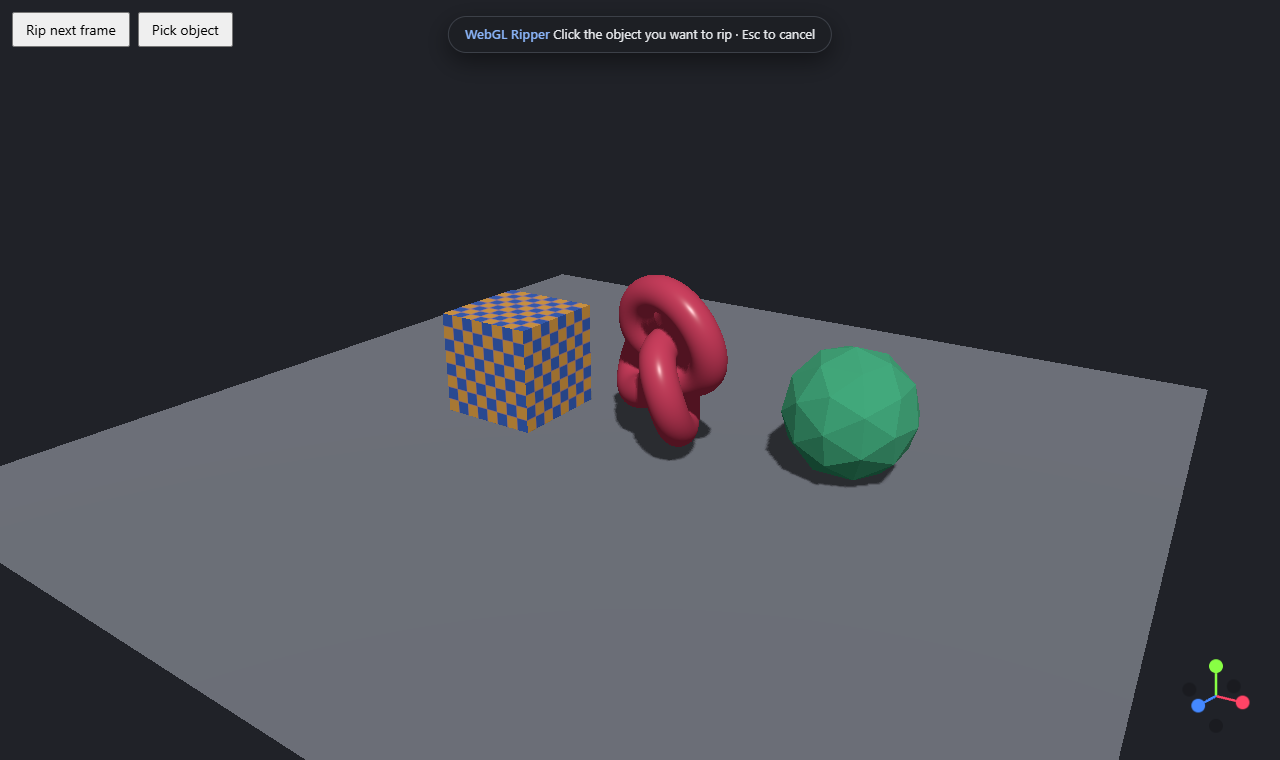
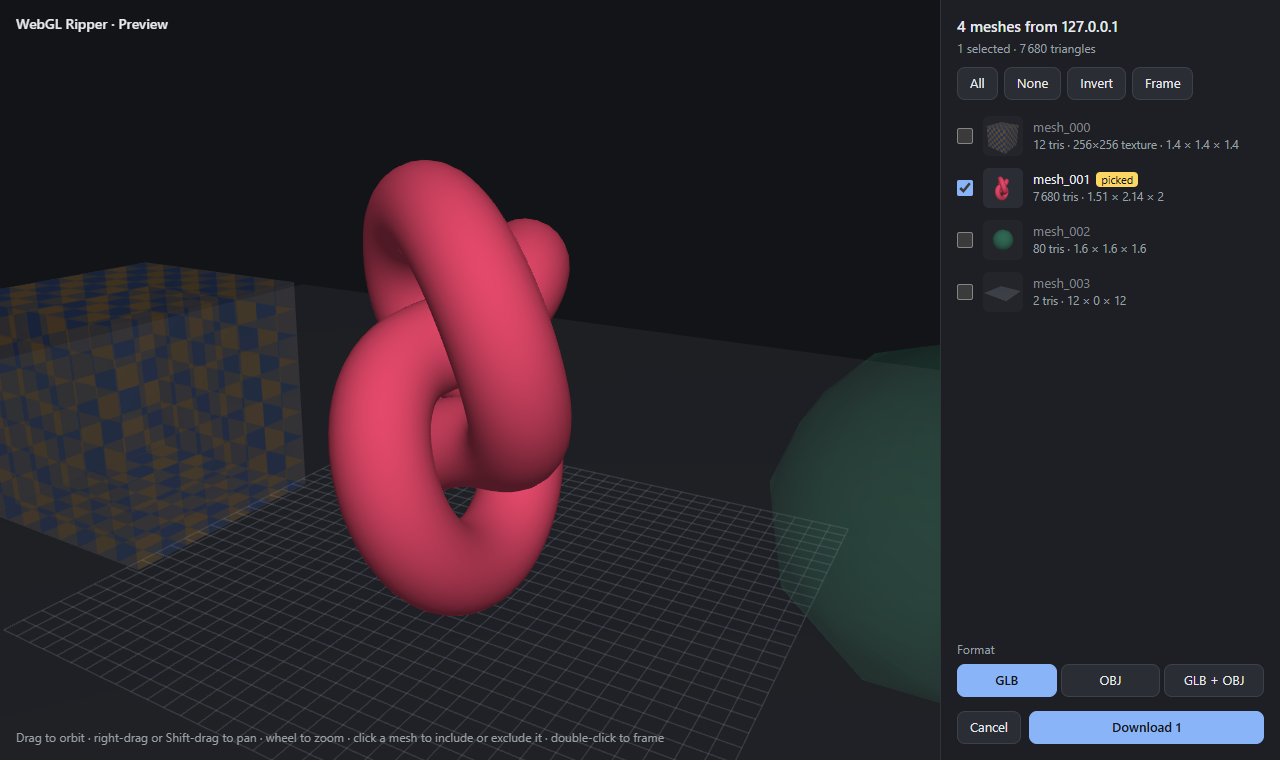
Shift+Insert, click an object, and only that object is saved — even through post-processing.
Ready to import
Meshes in place, centered on the floor, welded, with normals, material colors and the page's camera.
Clean output
Shadow passes, depth passes, axis gizmos and post-processing quads are left out.
Exact textures
Real size, byte for byte, including compressed, float and transparent textures.
Works with your engine
three.js, Babylon.js, PlayCanvas, Unity WebGL, Godot, Emscripten, plain WebGL 1 and 2.
Found objects and history
The popup shows what the page has and what was saved; the history keeps every rip with thumbnails.
English and Russian
The whole interface in your browser's language, or the one you choose.
Private and light
No network requests. No cost per draw call until you press the hotkey.
Rip just one object
Faster and more accurate than the original
Measured against WebGL Ripper 0.6 by Rilshrink, both installed in the same Chrome. Method and all numbers.
| Test page | Original 0.6 | WebGL Ripper 1.1.2 |
|---|---|---|
| three.js scene with shadows and post-processing | every mesh at the origin, no normals, wrong texture 16× too large | in place, normals, colors, right texture — 0.17 s |
| 3000 draw calls | no file after 3 min, +1.3 GB memory | 0.28 s, +42 MB |
| 250k vertices, two 4K textures | 3.9 s, page frozen 1.5 s, 60 MB ZIP | 1.6 s (GLB), under 0.2 s freeze, 5.6 MB ZIP |
| Unity / Emscripten memory | garbage | exact |
| Context created while the page loads | missed | captured |
| Frame time, 3000 draw calls, idle | ≈2× slower | no measurable cost |
Install and use
- Download
webglripper-…-chrome.zipor…-firefox.zipfrom the latest release. - Chrome / Edge / Brave / Opera: unzip, open
chrome://extensions, enable Developer mode, click Load unpacked and pick the folder. Firefox:about:debugging#/runtime/this-firefox→ Load Temporary Add-on… → the zip. - Open a page with a 3D model and press Insert. Choose meshes in the preview and press Download.
- Import the file in Blender: File → Import → glTF 2.0 or Wavefront (.obj) — or install the Blender add-on and every rip opens by itself.
WebGL Ripper is not on the Chrome Web Store or any other store; copies found there are not from this project.
Questions
How do I download a 3D model from a website?
Install WebGL Ripper, open the page, wait until the model is visible and press Insert. A 3D preview opens in the page; choose the meshes and press Download to get a GLB or OBJ file.
Which sites does it work on?
Any page that draws with WebGL: three.js, Babylon.js and PlayCanvas viewers, Unity WebGL and Godot games, product configurators, 3D galleries. Not pages that stream server-rendered video, or draw from a Web Worker.
Are animated characters saved in their pose?
On WebGL 2 pages, yes: the extension runs the page's vertex shader once more with transform feedback and reads back where every vertex went. On WebGL 1 pages characters stay in their bind pose. Bones and animations are not exported.
Can rips open in Blender automatically?
Yes. Install the free Blender add-on: it watches your downloads folder and imports every new GLB, STL, USDZ or OBJ zip into its own collection.
How does it work?
It runs inside the page before the page's own scripts, records the draw calls of one frame — geometry, textures and matrices — cleans them up and writes GLB or OBJ. The full description.
Does it send my data anywhere?
No. The extension makes no network requests at all.
Is ripping allowed?
Models and textures belong to their authors. Rip only what you may use — your own work, freely licensed assets or content you have permission for — and respect each site's terms.